The Consent records screen
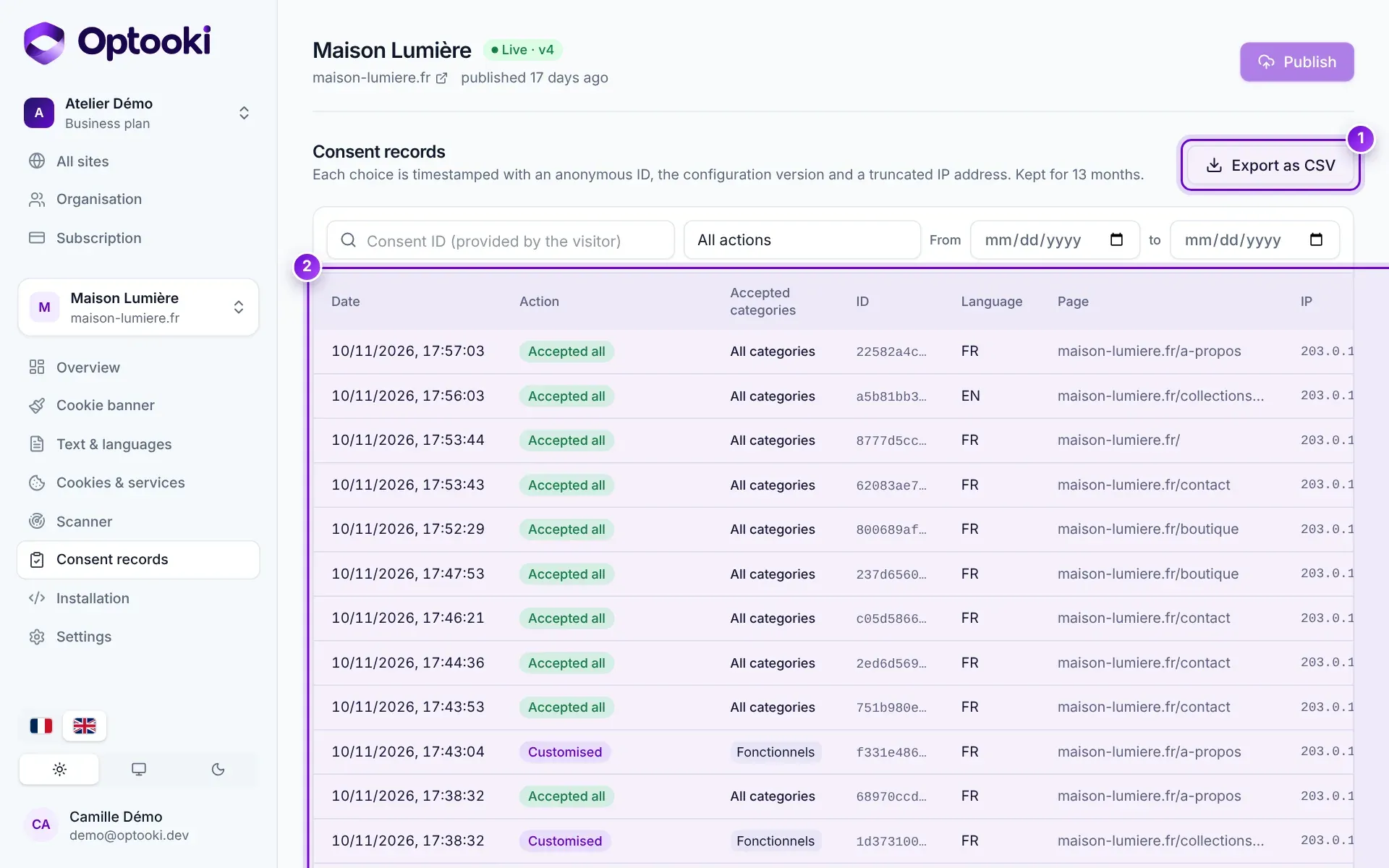
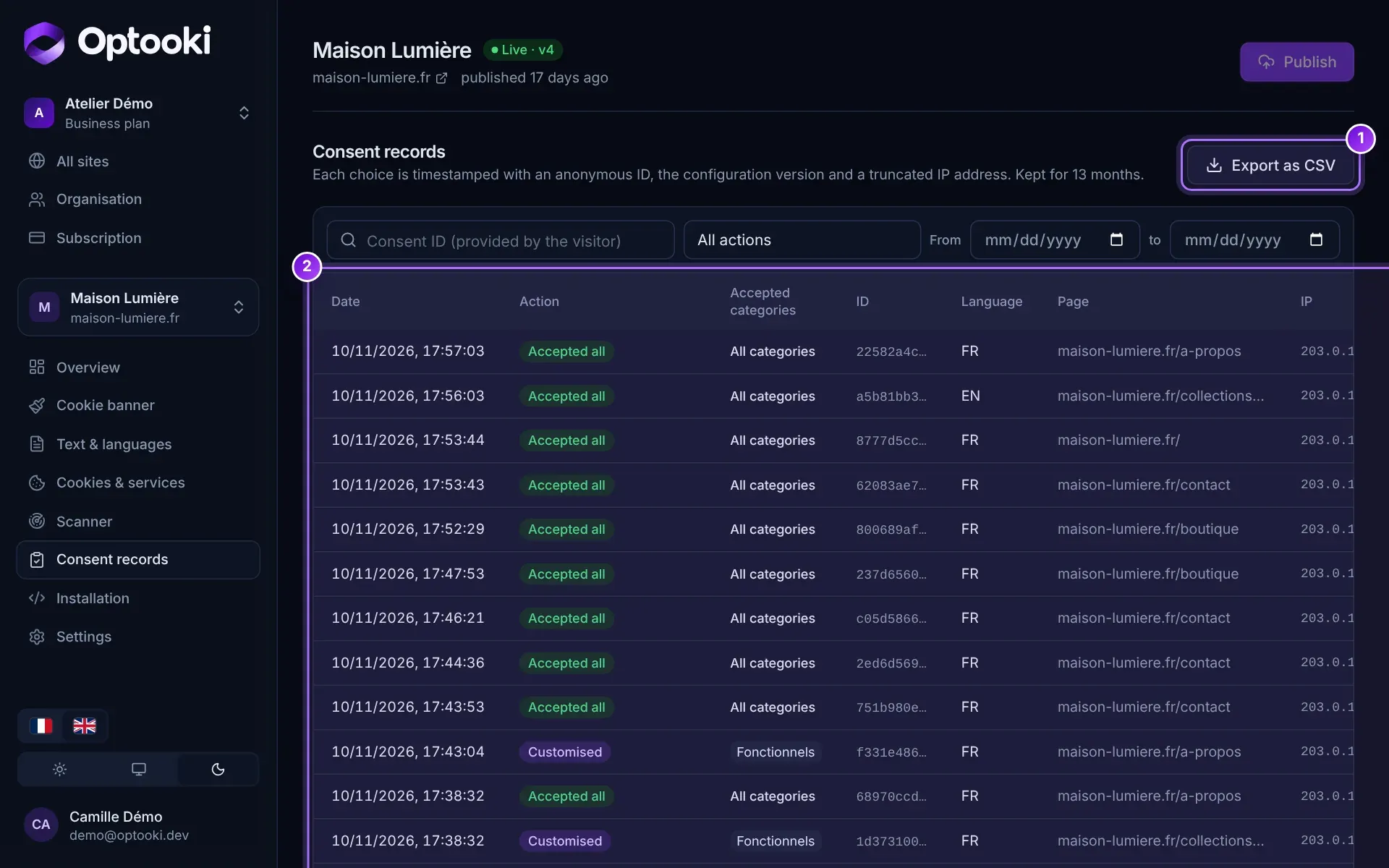
Each row is a choice: date and time, action (accepted all, rejected all, custom, closed without accepting), categories accepted, anonymous ID, language, page and truncated IP address. Hovering over the ID gives the configuration version the visitor saw.
- Marker 1: the CSV export, filters included.
- Marker 2: the table, filterable by ID, action and period.
Finding a visitor’s choice
A visitor writing to you finds their consent ID in the banner’s preference centre. Paste it into the search: you see all their choices, with their dates.
Retention
Records are kept for 13 months. Export them beforehand if you need to keep them longer, and before deleting a site: deleting it also erases its records. They stay viewable and exportable even if your account goes beyond its plan.
Checking record integrity
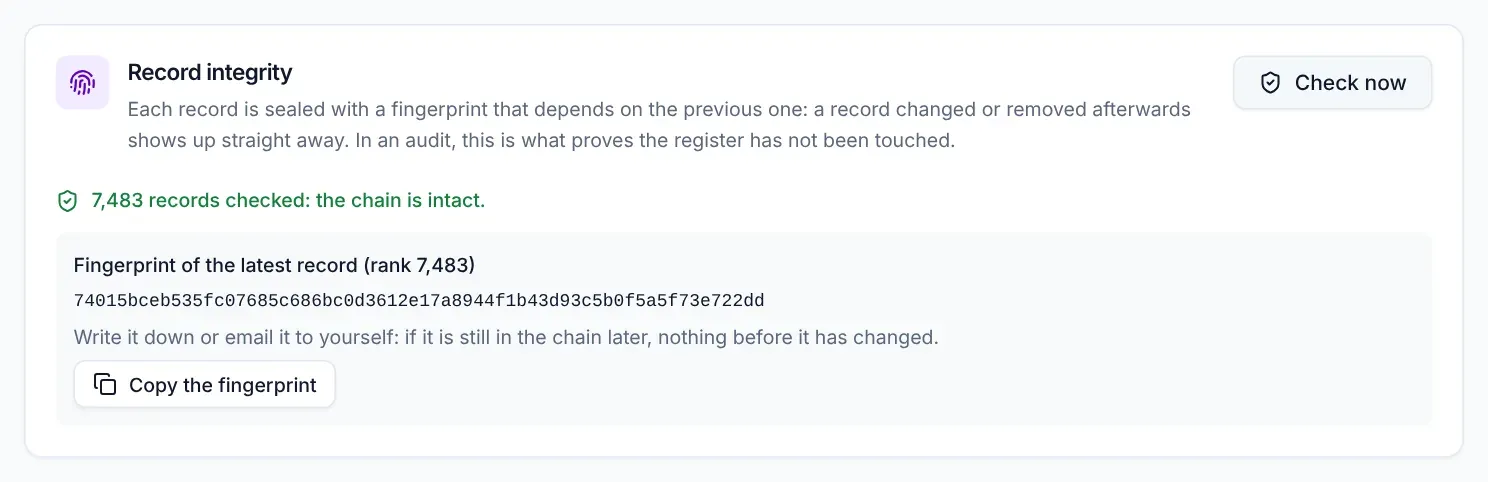
Each record is sealed with a fingerprint (SHA-256) computed over its whole content and over the previous record’s fingerprint. Changing a record changes its fingerprint; deleting one leaves a gap in the ranks.
- The Record integrity card, at the top of the page, redoes the calculation end to end with Check now.
- It gives the latest record’s fingerprint: write it down or email it to yourself. If it is still in the chain later, nothing before it has changed.
- The CSV export contains each record’s rank, previous fingerprint and fingerprint: an auditor can check everything again.
In the same section : Dashboard
- Statistics and compliance Visitor choices, day by day, and the CNIL compliance score.
- Customise the banner Themes, your site’s colours, layout, buttons and live preview.
- Text and languages The languages offered, the banner texts and the legal links.
- Cookies and services Declare the site’s tools, by category, from the catalogue or by hand.
- Scan the site See what the site sets before any consent, and fix it.
- Site settings Domains, how long the choice lasts, blocking, Consent Mode, pages without banner.
- Team and organisations Invite members, choose their role, manage several clients.
- Monthly reports A site’s PDF report, in your colours, sent to your client every month.
- Subscription Your plan, your usage, changing plans, what happens beyond the quota.