Running a scan and reading the report
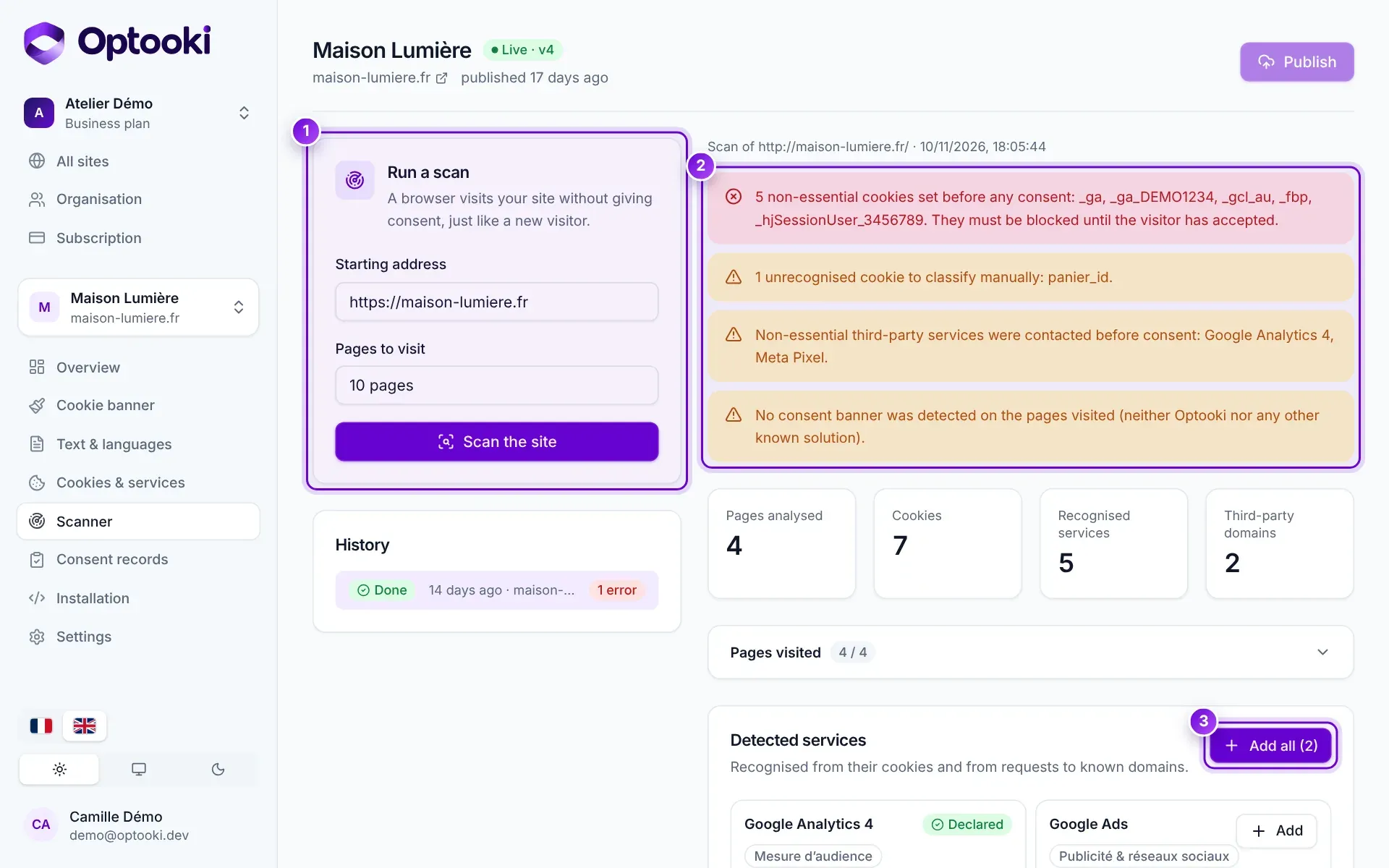
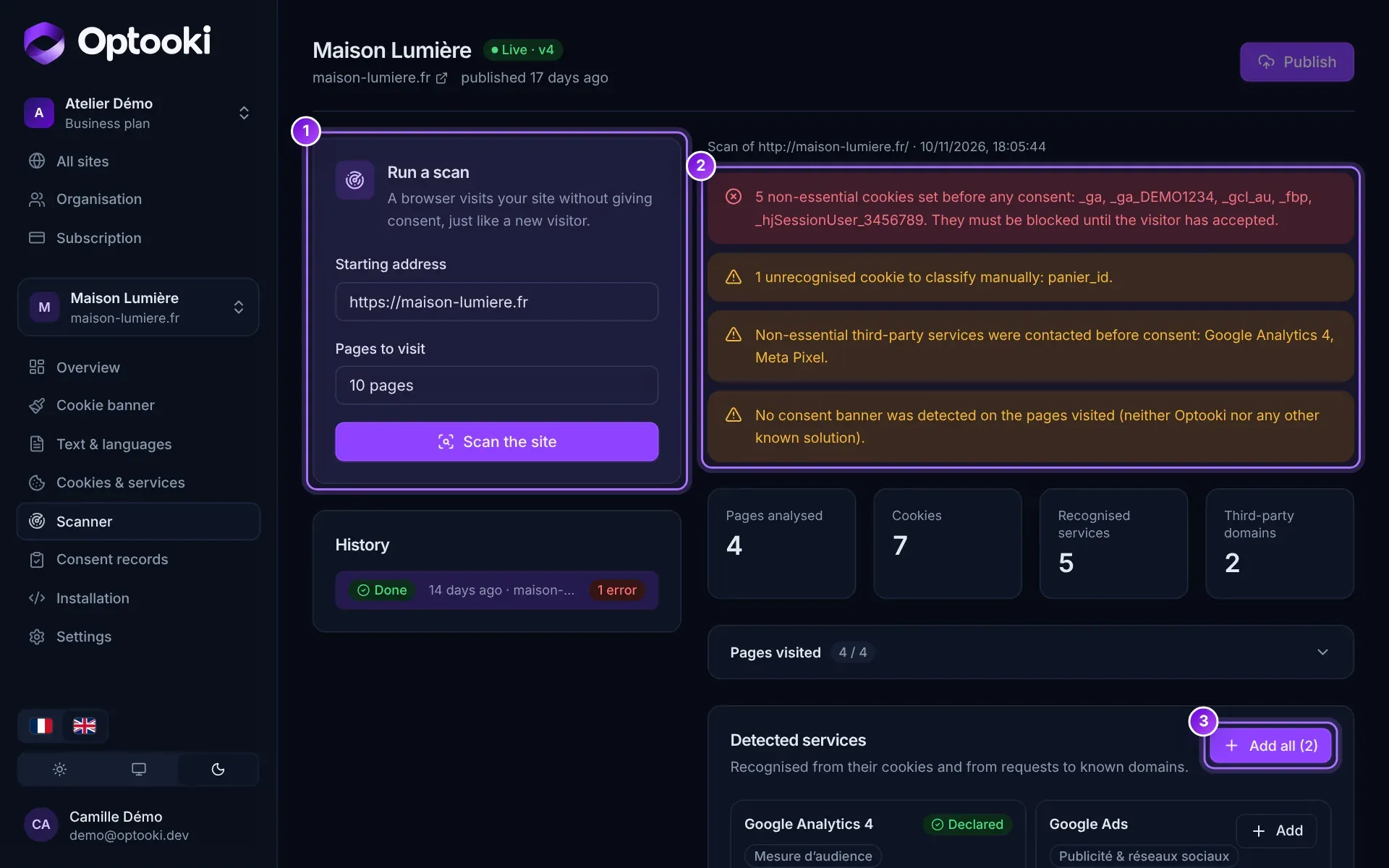
- Marker 1: the starting address (the site’s domain by default) and the number of pages to visit, then Scan the site. Allow a few seconds per page.
- Marker 2: what needs attention, from most to least serious: non-essential cookies set before any consent, unknown cookie to classify by hand, third-party services contacted too early, no banner found or another consent solution detected.
- Marker 3: the recognised services, to add to your list in one click.
Further down: the cookies found, with their duration, and requests to third-party domains. The history keeps previous scans.
When to scan
- Before installing Optooki, to declare your site’s services at once. It is normal to see cookies set too early: this is what the banner will hold.
- After installing, to check that nothing is set before consent any more.
- After adding a tool (advertising pixel, chat, video…).
The number of scans per month depends on your plan.
The scanner is refused
If the site protects itself against bots (firewall, CDN, challenge page), the report says so. Allow the OptookiScanner user agent, or scan a staging site without protection. The scanner does not log in to a password-protected site.
The diagnosis: do you need a banner?
At the top of the report, a sentence answers the question:
- A banner is needed: it names the services that require consent.
- No banner needed: everything the scan saw is exempt from consent (basket, session, security). Just describe these cookies in your cookie policy. Why.
- Check first: nothing recognised requires consent, but some cookies or domains are unknown.
Weekly monitoring
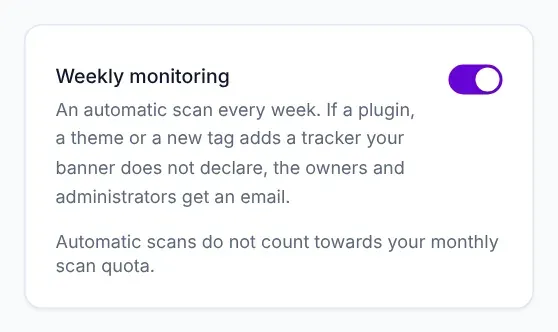
As soon as the banner is published, the site is scanned automatically once a week (10 pages). The scanner compares what it finds with what your banner declares: if an undeclared tracker appears that the previous scan had not seen, owners and administrators get an email.
- Automatic scans are labelled automatic in the history, with the number of undeclared trackers next to it.
- They do not count towards your monthly scan quota.
- The Weekly monitoring switch, under the scan form, turns it off for this site.
In the same section : Dashboard
- Statistics and compliance Visitor choices, day by day, and the CNIL compliance score.
- Customise the banner Themes, your site’s colours, layout, buttons and live preview.
- Text and languages The languages offered, the banner texts and the legal links.
- Cookies and services Declare the site’s tools, by category, from the catalogue or by hand.
- Consent records Find, filter and export the record of every choice.
- Site settings Domains, how long the choice lasts, blocking, Consent Mode, pages without banner.
- Team and organisations Invite members, choose their role, manage several clients.
- Monthly reports A site’s PDF report, in your colours, sent to your client every month.
- Subscription Your plan, your usage, changing plans, what happens beyond the quota.