Copy the line
Open the site’s Installation tab in the dashboard: the line is at the top (marker 1), with your own ID. Copy it.
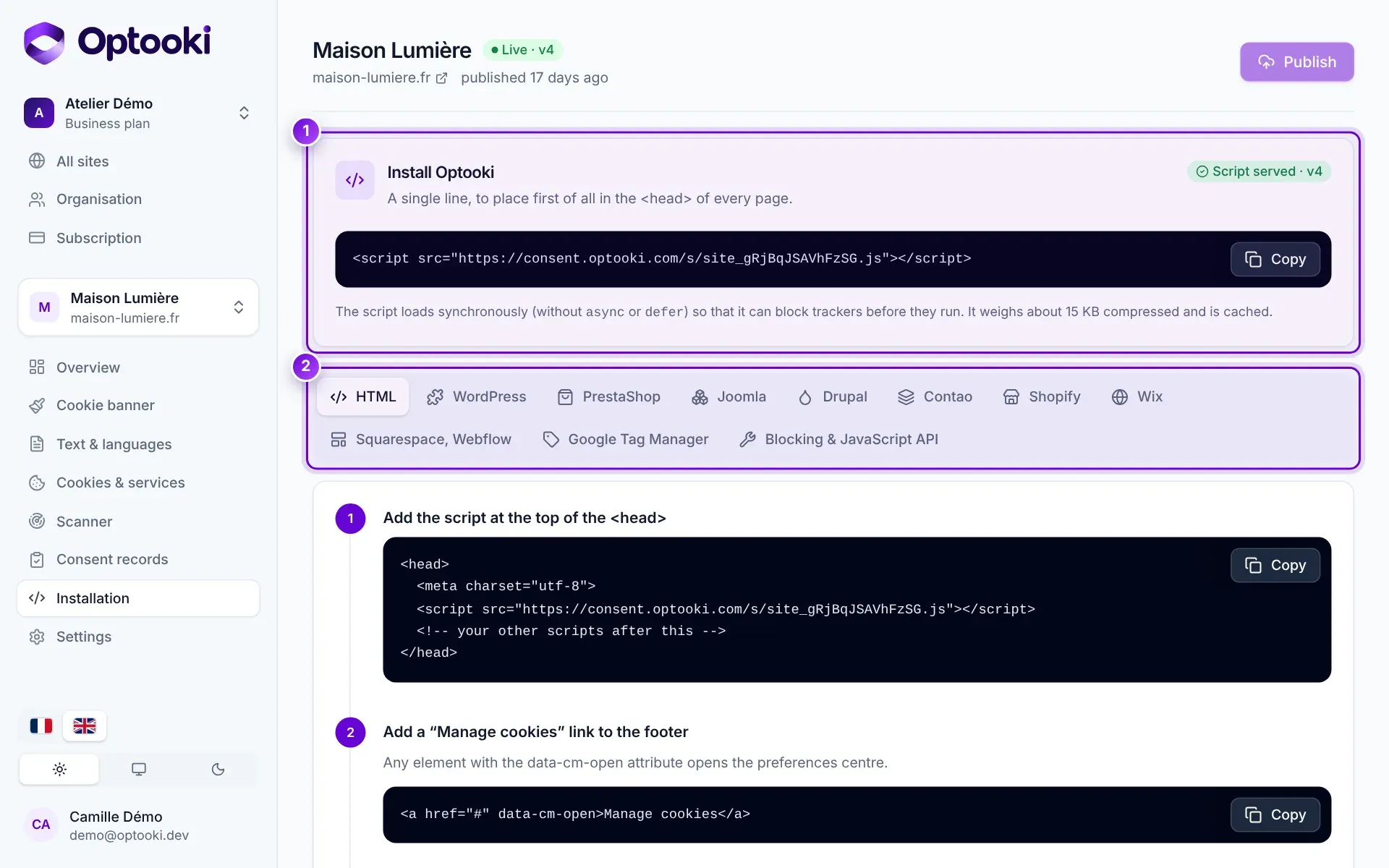
Paste it first
Put the line first in the <head> of every page, before your other scripts. In a shared template (header, layout), once is enough.
<head>
  <meta charset="utf-8">
  <script src="https://consent.optooki.com/s/YOUR-SITE-ID.js"></script>
  <!-- your other scripts after it -->
</head>Link, cookie list and checking
Add a <a href="#optooki">Manage cookies</a> link in the footer, and <div data-cm-cookie-list></div> on your cookie policy (see Block trackers). Then open the site in a private window: the banner appears. For a single-page application or a content security policy, see troubleshooting.
In the same section : Install
- WordPress Plugin for WordPress 6.0 and later, compatible with WP Consent API.
- PrestaShop Module for PrestaShop 1.7, 8 and 9.
- Magento Module for Magento Open Source and Adobe Commerce 2.4.
- Joomla System plugin for Joomla 4.4, 5 and 6.
- Drupal Module for Drupal 10.3 and later, and Drupal 11.
- Contao A single package for Contao 4.4 to 6.
- Shopify App connected to Shopify’s Customer Privacy API.
- Wix App connected to Wix’s consent policy.
- Squarespace One line to paste into the site’s code injection.
- Webflow One line to paste into the site’s custom code.
- Google Tag Manager Consent Mode v2, the optooki_consent trigger and the Optooki tag template.