The Cookie banner screen
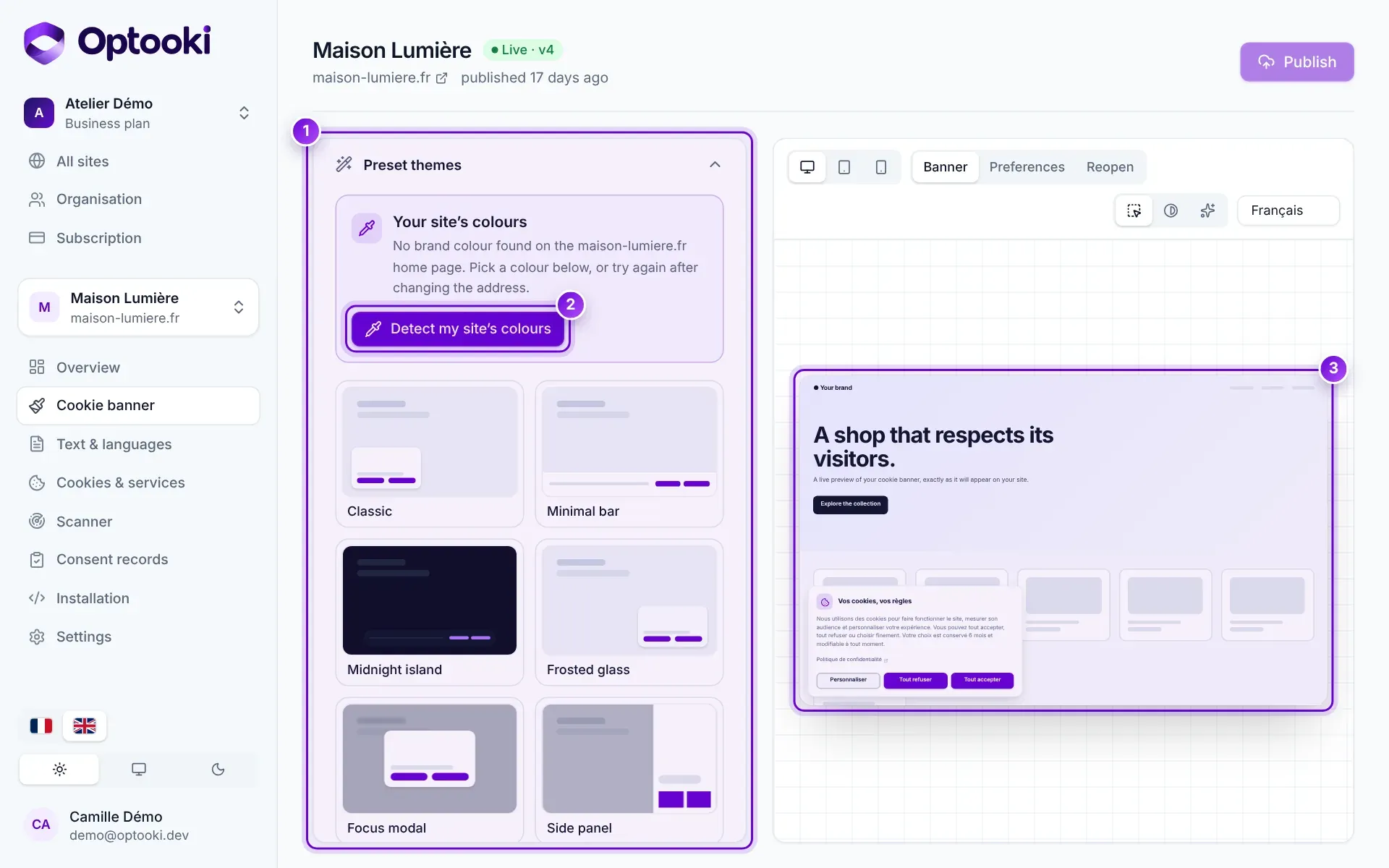
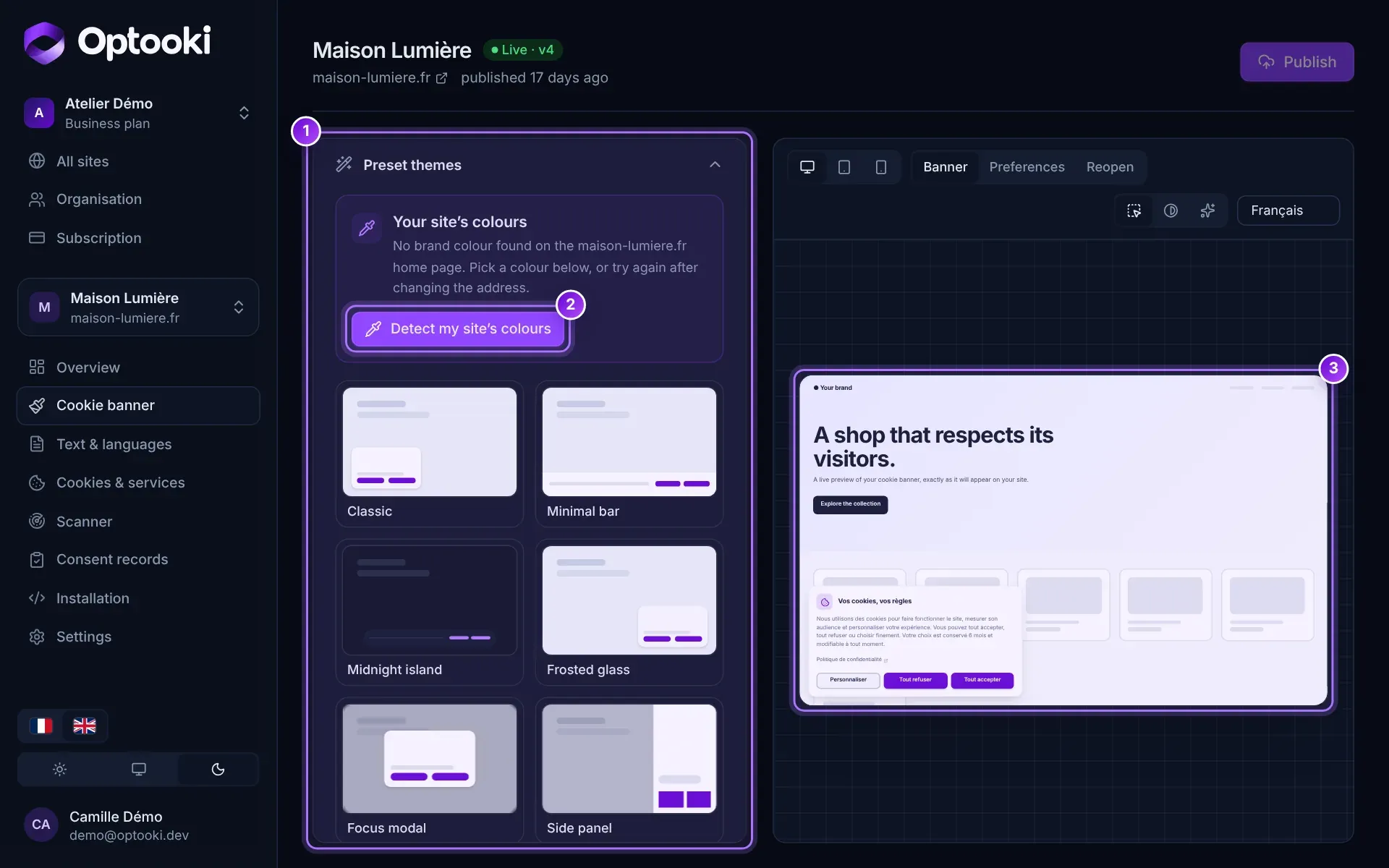
- Marker 1: eight ready-made themes: Classic, Minimal bar, Midnight island, Frosted glass, Focus modal, Side panel, Forest and Editorial.
- Marker 2: your site’s colours (see below).
- Marker 3: the preview. The tabs above it show the banner, the preference centre and the reopen button; the icons, desktop, tablet and phone; the list, the language.
The banner in your colours
Detect my site’s colours has Optooki visit your home page and read its action colour, background, text, corner radius and font. Nothing changes until you click Apply to my banner. A colour that is too pale or too dark is adjusted so the text stays readable (WCAG AA contrast).
Layout, style and buttons
Below the themes, each section sets a detail:
- Layout and position: floating card, full-width bar, floating island, centred window or side panel, in three sizes, wherever you want on the screen.
- Style and colours: light, dark or automatic theme, colours, corner radius, font.
- Backdrop, animation and blocking: darkened or blurred background behind a centred window, appearing animation.
- Buttons and content: order of the buttons, categories visible in the banner, “Continue without accepting” link.
- Reopen button: the small button that reopens the preferences after a choice, its position and icon.
- Custom CSS: to go further.
In the same section : Dashboard
- Statistics and compliance Visitor choices, day by day, and the CNIL compliance score.
- Text and languages The languages offered, the banner texts and the legal links.
- Cookies and services Declare the site’s tools, by category, from the catalogue or by hand.
- Scan the site See what the site sets before any consent, and fix it.
- Consent records Find, filter and export the record of every choice.
- Site settings Domains, how long the choice lasts, blocking, Consent Mode, pages without banner.
- Team and organisations Invite members, choose their role, manage several clients.
- Monthly reports A site’s PDF report, in your colours, sent to your client every month.
- Subscription Your plan, your usage, changing plans, what happens beyond the quota.