Compatibility: Drupal 10.3 and later, Drupal 11
Free, included in every plan. Download optooki-drupal.zip
Before you start
Create the site in the Optooki dashboard, set up the banner and publish it: the plugin shows the latest published version. The getting started guide covers it in five minutes.
Installation
-
Copy and enable the module
Unzip
optooki-drupal.zipintoweb/modules/custom/(theoptookifolder appears there). In Extend, search for “Optooki”, tick it (marker 1) and click Install.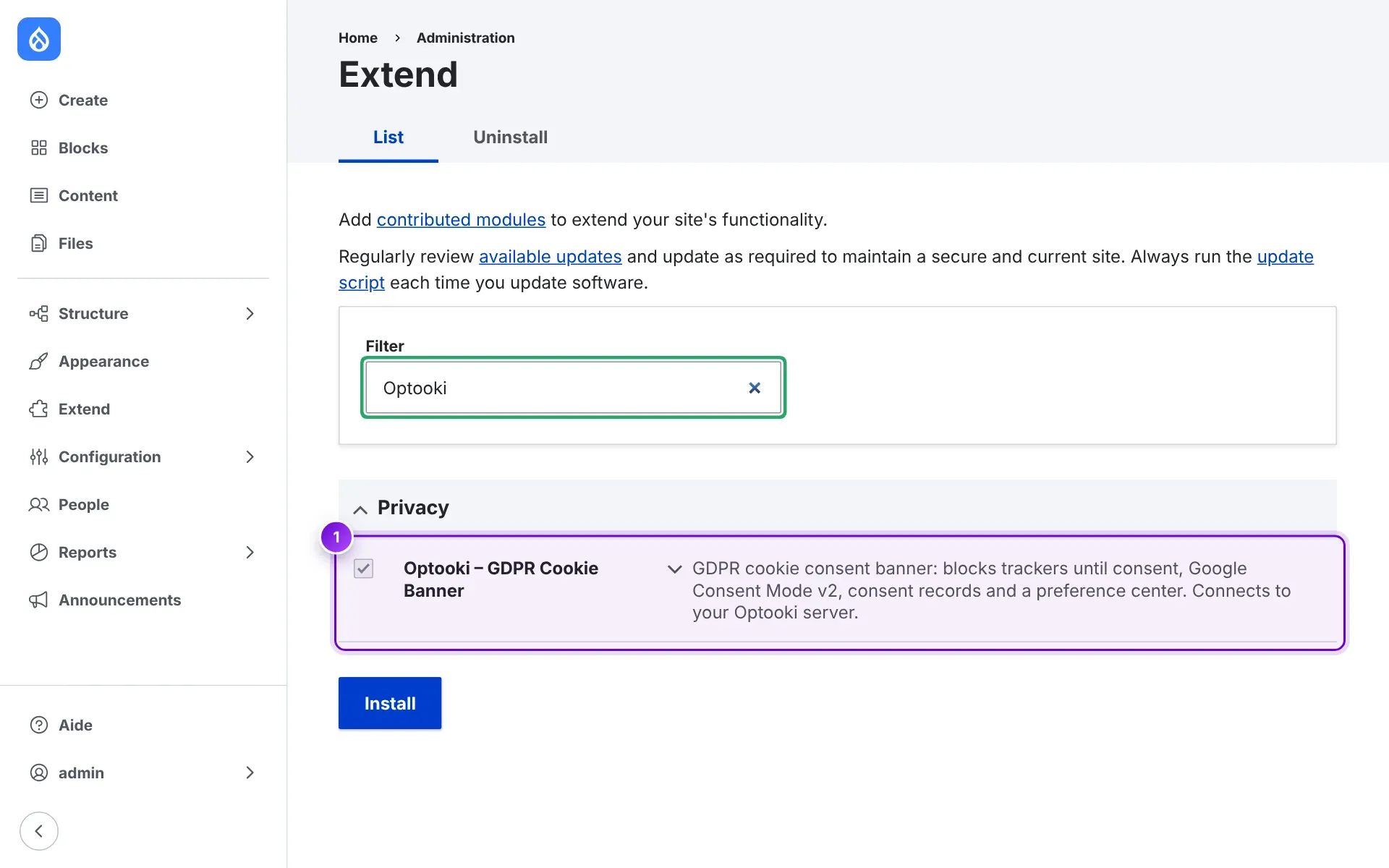
-
Connect the site to Optooki
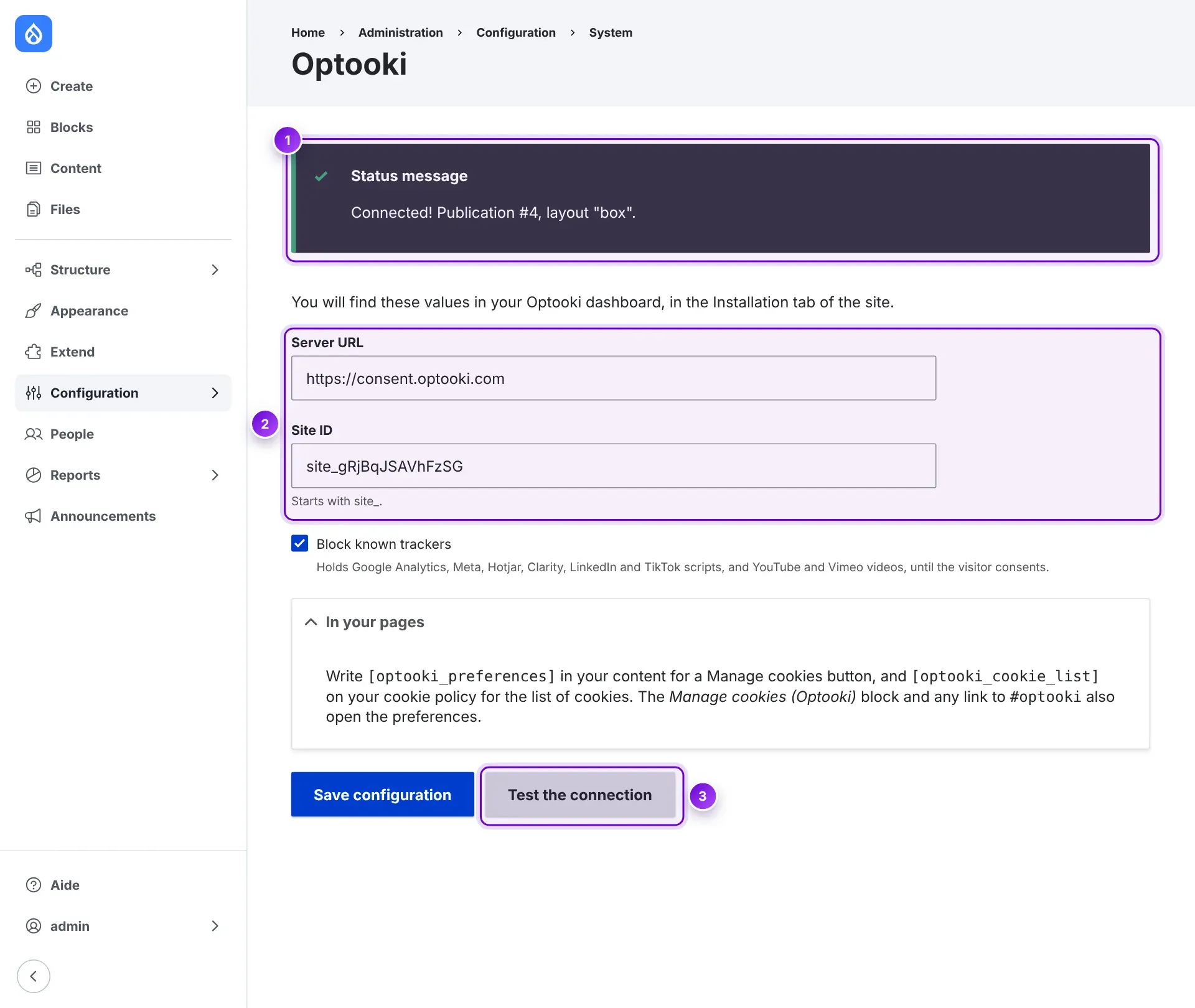
Configuration → System → Optooki: paste the server URL and the site ID, found in the Installation tab of the Optooki dashboard (marker 2), save, then click Test the connection (marker 3). The result shows at the top of the page (marker 1).
-
Check on the site
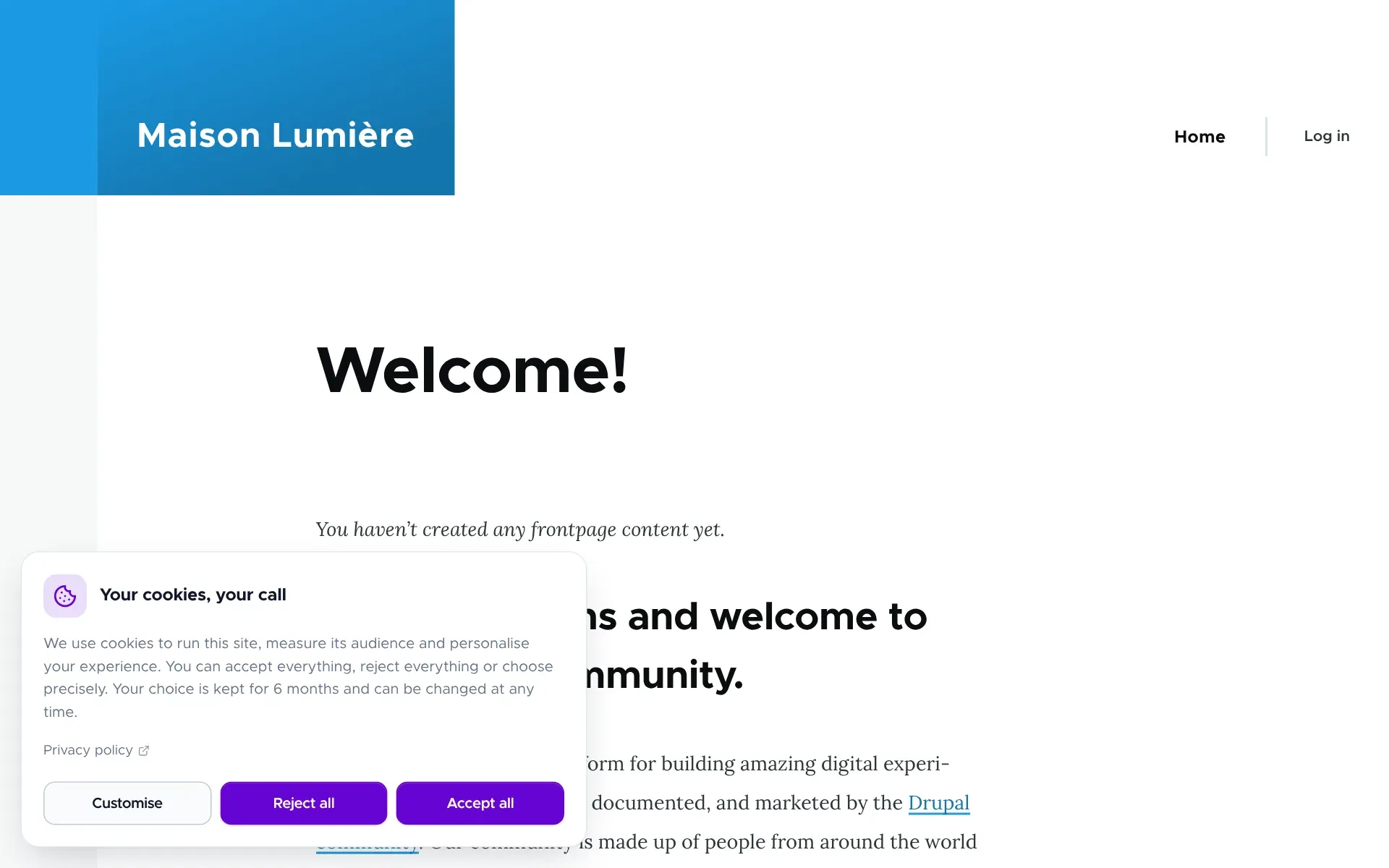
Open your site in a private window: the banner appears. If it does not, see troubleshooting.
What the plugin does
- The banner first in the
<head>of every public page, before any other script, never in the administration. - Google Analytics, Meta, Hotjar, Microsoft Clarity, LinkedIn and TikTok held until consent, even when added by another extension or by the theme. Can be turned off.
- YouTube and Vimeo videos in your content replaced by a placeholder until consent.
- A “Manage my cookies (Optooki)” block to place in the footer (Structure → Block layout).
Button and cookie list
In a page or a post, write [optooki_preferences] for a “Manage cookies” button (attributes label and class), and [optooki_cookie_list] on your cookie policy for the table of cookies, up to date with every publication. A menu link to #optooki also reopens the preferences.
Update, uninstall
For a new version, replace the web/modules/custom/optooki folder with the one from the new archive, then clear the caches (Configuration → Performance). Updates are free, on every plan. Uninstalling (Extend → Uninstall) removes the module and its settings.
In the same section : Install
- Any website One line to paste at the top of every page, for a site without a CMS.
- WordPress Plugin for WordPress 6.0 and later, compatible with WP Consent API.
- PrestaShop Module for PrestaShop 1.7, 8 and 9.
- Magento Module for Magento Open Source and Adobe Commerce 2.4.
- Joomla System plugin for Joomla 4.4, 5 and 6.
- Contao A single package for Contao 4.4 to 6.
- Shopify App connected to Shopify’s Customer Privacy API.
- Wix App connected to Wix’s consent policy.
- Squarespace One line to paste into the site’s code injection.
- Webflow One line to paste into the site’s custom code.
- Google Tag Manager Consent Mode v2, the optooki_consent trigger and the Optooki tag template.